
SusAudit - built-in checks (Debug / QA)
Automatic audit modules built into
sus-coreandsus-router. All of them are gated by#if UNITY_EDITOR || DEVELOPMENT_BUILD. In release builds they are fully stripped by the compiler - zero runtime overhead.
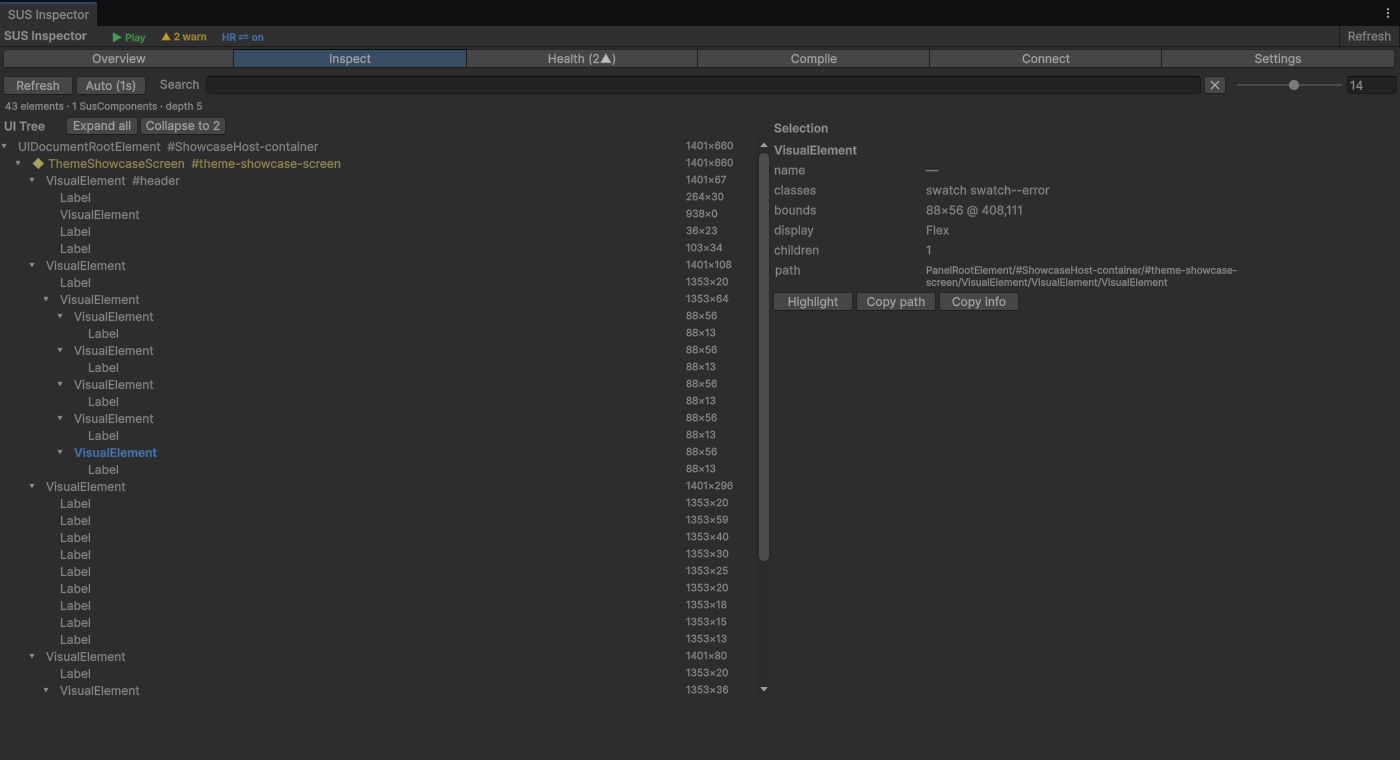
Overview table
| # | Module | Where it's wired | Trigger | Automatic |
|---|---|---|---|---|
| 1 | ClickAudit | SusComponent + ClickAuditService | Every ClickEvent on registered elements | ✅ |
| 2 | BoundsAudit | SusComponent constructor | 2 frames after mount | ✅ |
| 3 | CallbackAudit | SusComponent.cs methods + 16 .sharq | ClickEvent handler guard conditions / timing | ⚠️ .sharq |
| 4 | OverlayAudit | OverlayHost.AddToOverlay() | Adding an element to the overlay | ✅ |
| 5 | StateAudit | .sharq (SusButton/Toggle/Dropdown/ListGroup/Modal) | WatchEffect on conflicting props | ⚠️ .sharq |
| 6 | LifecycleAudit | SusComponent.OnDetachFromPanelHandler() | Detach from panel | ✅ |
| 7 | NavigationAudit | SusRouter.Push/Replace/PushNamed/ReplaceNamed | Resolve() returned null | ✅ |
| 8 | PerformanceAudit | SusComponent constructor | 500ms after mount | ✅ |
| 9 | DebounceAudit | SusComponent constructor | Every ClickEvent on interactive elements | ✅ |
| 10 | ClickTargetSizeAudit | SusComponent constructor (combined with BoundsAudit) | 2 frames after mount | ✅ |
| 11 | StackDepthAudit | SusRouter.PushRecord | After _history.Add() | ✅ |
| 12 | GuardAudit | SusRouter.Navigate() | After NavigateCore - if the result is Aborted | ✅ |
| 13 | ModalStackAudit | OverlayHost.AddToOverlay() | Adding a modal to the overlay | ✅ |
| 14 | EmptyStateAudit | .sharq (SusListGroup/SusDropdown) | Items.Count == 0 but the element is open/visible | ⚠️ .sharq |
| 15 | RemountLoopAudit | SusComponent.OnAttachToPanelHandler() | >5 attaches in 1 second | ✅ |
| 16 | OverflowAudit | SusComponent constructor | Children go beyond the parent's bounds (Unity does not clip) | ✅ |
| 17 | DeadRouteAudit | SusRouter (manual call AuditUnusedRoutes()) | Registered but never used routes | 🔧 manual |
| 18 | SusTable StateAudit | .sharq (SusTable) | WatchEffect - ItemsPerPage > Items or Page > TotalPages | ⚠️ .sharq |
| 19 | LayoutReentryAudit | SusComponent.OnGeometryChangedForBreakpoint() | >20 GeometryChanged events in 500ms | ✅ |
| 20 | IdleGuardAudit | SusComponent constructor | The element is visible for 30+ seconds without clicks | ✅ |
| 21 | FocusTrapAudit | .sharq (SusModal) | FocusEvent - Tab moves focus away from the modal | ⚠️ .sharq |
✅ = fully automatic, nothing to add to the component. ⚠️ = requires one line -
SetClickAuditDescription("Name")or aWatchEffectin.sharq(already built into all components). 🔧 = manual method call.
1. ClickAudit - does the click reach the element
Files: sus-core/Runtime/Diagnostics/ClickAuditService.cs, sus-core/Runtime/SusComponent.cs
Problem: the element is registered as clickable, but when clicked the event doesn't reach it - it's intercepted by another element above it (tooltip, overlay, modal with the wrong pickingMode).
How it works:
ClickAuditService.Instance.Install(panel)- called automatically on the firstSusBootstrap.Mount<T>().- The service registers a global
ClickEventhandler onpanel.visualTree. - On each click it compares
evt.targetwith the registered elements. - If the click doesn't hit any registered element, the intercepting element's layer is logged.
Example warning:
[ClickAudit] Active: 'SusButton' blocked at center. Reason: Covered by 'SusTooltip'Integration: an element registers itself via SetClickAuditDescription("Name") in Created(). Already built into 50 downstream components (kit 40 + game 10) .
2. BoundsAudit - are the sizes non-zero
File: sus-core/Runtime/SusComponent.cs (constructor)
Problem: Unity UITK doesn't call ContainsPoint for elements with zero dimensions - the click passes through. Common causes:
- No
flexGrow,width,heightset in USS/styles - The parent didn't allocate any size
display: none/visible: false- The element isn't attached to the panel yet
How it works: a delayed check via schedule.Execute(...).StartingIn(150) - waits 2-3 frames for layout to settle, then checks worldBound.width and worldBound.height.
Example warning:
[BoundsAudit] 'SusUnitCard' has zero bounds after mount (0×0).
  display=Flex, visible=True, pickingMode=Position.
  Clicks will NOT reach this element.
3. CallbackAudit - did OnClick actually run
Files: sus-core/Runtime/SusComponent.cs, 16 .sharq
Problem: ClickEvent fires, the element is reachable, the click gets through - but the handler is NOT called. Common causes:
Disabled.Value = true→ handler returns earlyLoading.Value = true→ handler returns early- A guard condition:
if (someCondition) return; - The handler ran, but took > 50ms (suspiciously long)
Two sub-modes:
3a. Guard-lock (AuditClickBlocked)
// In SusButton.sharq:
if (Disabled.Value)
{
    AuditClickBlocked("Disabled");  // ← warning to the console
    return;
}
Example: [CallbackAudit] 'SusButton' click blocked: Disabled
3b. Timing (AuditClickStart / AuditClickEnd)
var t0 = AuditClickStart();
OnClick?.Invoke();
AuditClickEnd(t0);  // if > 50ms → warning
Example: [CallbackAudit] 'SusButton' OnClick took 127.3ms
Wired into (16 .sharq): SusAlert, SusButton, SusDropdown, SusEmptyState, SusForm, SusLink, SusListGroup, SusMenuButton, SusNumberInput, SusPagination, SusRating, SusSnackbar, SusStepper, SusTabs, SusToggle, SusUnitCard.
4. OverlayAudit - UI overlap
File: sus-core/Runtime/OverlayHost.cs
Problem: when an element is added to OverlayHost (tooltip, dropdown, modal), it can intercept clicks meant for elements underneath via its own pickable children.
How it works: in AddToOverlay(), after the element is inserted, Query<VisualElement>() looks for any descendants with pickingMode == Position; if any are found (and the category isn't Modal) it warns.
Example warning:
[OverlayAudit] 'SusTooltip' added to overlay in Tooltip category
  with 3 pickable children. It may block clicks to underlying UI.
  Consider setting pickingMode=Ignore on children.
5. StateAudit - prop consistency
Files: SusButton.sharq, SusToggle.sharq, SusDropdown.sharq, SusListGroup.sharq, SusModal.sharq
Problem: inconsistent state combinations - Disabled=true and Loading=true at the same time (the spinner never shows), IsOpen=true while Disabled=true (dropdown open but inactive), Selected not present in Items (nothing highlighted), Model=false but the modal is still visible.
How it works: a WatchEffect inside each .sharq component watches the relevant prop combination.
| Component | Rule |
|---|---|
SusButton | Disabled && Loading → both true at the same time |
SusToggle | Disabled && Loading → both true at the same time |
SusDropdown | IsOpen && Disabled → open but disabled |
SusListGroup | Selected not in Items → nothing highlighted |
SusModal | Model=false but display ≠ None → hidden modal is still visible |
Example warnings:
[StateAudit] SusButton: both Disabled and Loading are true.
  Loading spinner will never be visible.

[StateAudit] SusDropdown: IsOpen=true while Disabled=true.
  Dropdown should close when disabled.

[StateAudit] SusListGroup: Selected value is not in Items.
  List will have no highlighted item.

[StateAudit] SusModal: Model=false but element is still visible
  (display=Flex). Modal should be hidden.
6. LifecycleAudit - subscription leaks
File: sus-core/Runtime/SusComponent.cs (OnDetachFromPanelHandler)
Problem: the element was removed from the panel, but its subscriptions to Prop<T>.Changed are still alive - a memory leak and a source of errors on remount.
How it works: on detach it records _bindings.Count; after 1 second it checks whether the panel is still null and the subscription count hasn't dropped → leak.
Example warning:
[LifecycleAudit] 'SusUnitCard' detached but 3 bindings were not disposed.
  Possible leak.
7. NavigationAudit - unresolved routes
File: sus-router/Runtime/SusRouter.cs
Problem: SusRouter.Push("/settings") is called but the path doesn't resolve (Resolve returns null) - the user presses the button and nothing happens.
How it works: each navigation method (Push, Replace, PushNamed, ReplaceNamed) warns if record == null.
Example warning:
[NavigationAudit] Push('/battle/unknown') — route not found.8. PerformanceAudit - too many elements
File: sus-core/Runtime/SusComponent.cs (constructor)
Problem: a deep tree or too many children (>500 VisualElements) → slow PickAll, long layout passes, sluggish UI.
How it works: 500ms after mount, Query<VisualElement>() counts all elements in the subtree. If > 500 → warning.
Example warning:
[PerfAudit] 'SusTable' has 1423 VisualElements.
  Consider virtualization (SusTable) or paging.
9. DebounceAudit - double clicks
File: sus-core/Runtime/SusComponent.cs (constructor)
Problem: the user clicks a button twice quickly (< 300ms apart) - a double-submit becomes possible (two API calls, double currency deduction, etc.).
How it works: the SusComponent constructor registers a ClickEvent callback (it fires BEFORE the handlers registered in Created() - UITK guarantees this registration order). For each interactive element (registered via SetClickAuditDescription) it remembers the time of the last click; if less than 300ms has passed, it warns.
Example warning:
[DebounceAudit] 'SusButton' rapid double-click (87ms).
  Possible unintended double-submit.
Important: this is an audit, not a block. It doesn't prevent the second click - it only warns the developer that debouncing is needed in the business logic.
10. ClickTargetSizeAudit - target too small
File: sus-core/Runtime/SusComponent.cs (constructor, combined with BoundsAudit)
Problem: an interactive element (button, icon, checkbox) is smaller than 30×30px - hard to hit with a finger or mouse. HIG recommends a minimum of 44×44px.
How it works: alongside BoundsAudit, for elements with SetClickAuditDescription - if worldBound is > 0 but < 30px on either axis → warning.
Example warning:
[ClickTargetAudit] 'SusIcon' tap target is small (16×16px).
  HIG recommends ≥44×44. Consider padding or min-size.
11. StackDepthAudit - navigation stack depth
File: sus-router/Runtime/SusRouter.cs
Problem: navigation history grows without bound (> 50 entries) - possibly cyclic navigation (A → B → A → B...) or a forgotten Replace() where Push() was used instead.
How it works: after each _history.Add() in PushRecord, checks _history.Count > 50.
Example warning:
[StackDepthAudit] Router history has 67 entries.
  Possible circular navigation or unbounded stack growth.
  Consider using Replace() instead of Push().
12. GuardAudit - rejected navigation
File: sus-router/Runtime/SusRouter.cs
Problem: the user presses a navigation button and the navigation is silently rejected by a guard or lifecycle hook - the screen doesn't change and no error is shown.
How it works: Navigate() is a single interception point after NavigateCore. If the result is NavigationResult.Aborted → warning with the from→to paths.
Example warning:
[GuardAudit] Nav from '/lobby' → '/battle' was rejected by a guard
  or lifecycle hook (BeforeLeave/CanLeave/BeforeEach/CanEnter/BeforeResolve/BeforeEnter).
Covers all abort points: BeforeRouteUpdate, BeforeLeave, CanLeave (ISusRouteGuard), BeforeEach (global), CanEnter (ISusRouteGuard), BeforeResolve (global), BeforeEnter.
13. ModalStackAudit - too many modals
File: sus-core/Runtime/OverlayHost.cs
Problem: more than 5 modals are open on screen at once - either a bug (modals not closing) or bad UX (the user can't tell which modal is active).
How it works: in AddToOverlay(), after adding an element, it counts _stack.Count(e => e.Category == OverlayCategory.Modal). If > 5 - warning.
Example warning:
[ModalStackAudit] 7 modals on screen.
  Deep modal stacking may indicate a flow bug or unclosed modals.
Architecture
sus-core/Runtime/
├── SusComponent.cs            ← BoundsAudit, ClickTargetAudit, PerfAudit,
│                                 DebounceAudit, LifecycleAudit, RemountLoopAudit,
│                                 OverflowAudit, IdleGuardAudit, LayoutReentryAudit,
│                                 AuditClickBlocked/Start/End
├── Diagnostics/
│ └── ClickAuditService.cs ← ClickAudit (global click interception)
├── OverlayHost.cs             ← OverlayAudit, ModalStackAudit
│
sus-router/Runtime/
└── SusRouter.cs               ← NavigationAudit, GuardAudit, StackDepthAudit,
                                  DeadRouteAudit

Downstream UI packages may register additional component-level audits
(CallbackAudit, StateAudit, EmptyStateAudit, FocusTrapAudit, …).
Enable / disable
All modules are active when:
#if UNITY_EDITOR || DEVELOPMENT_BUILDIn release builds (!UNITY_EDITOR && !DEVELOPMENT_BUILD) the code is completely stripped by the compiler - not a single byte, not a single call remains.
14. EmptyStateAudit - empty list / dropdown
Files: SusListGroup.sharq, SusDropdown.sharq
Problem: Items.Count == 0, but the element is open or visible - the user sees an empty container.
How it works: a WatchEffect inside .sharq tracks the combination.
Example warnings:
[EmptyStateAudit] SusListGroup: Items is empty but element is visible.
[EmptyStateAudit] SusDropdown: IsOpen=true but Items is empty.
15. RemountLoopAudit - cyclic remounts
File: sus-core/Runtime/SusComponent.cs (OnAttachToPanelHandler)
Problem: > 5 attaches in 1 second → usually a reactivity bug (a WatchEffect toggling visibility/layout).
Example warning:
[RemountLoopAudit] 'SusUnitCard' attached 7 times in 1s.16. OverflowAudit - children exceeding bounds
File: sus-core/Runtime/SusComponent.cs (constructor)
Problem: children exceed the parent's bounds. Unity UITK does not support overflow: hidden.
Example warning:
[OverflowAudit] 'SusCard' has 3 child(ren) exceeding parent bounds (320×180).17. DeadRouteAudit - unused routes
File: sus-router/Runtime/SusRouter.cs
Problem: routes that are registered but never navigated to are dead code.
Call: router.AuditUnusedRoutes() (manual, from the dev panel or tests).
Example warning:
[DeadRouteAudit] 3 registered routes were never navigated to:
  - /settings/audio (settings-audio)
18. SusTable StateAudit - inconsistent pagination
File: SusTable.sharq
Problem: ItemsPerPage > Items.Count - a single page with redundant pagination controls. Page > TotalPages - the table renders empty rows.
How it works: a WatchEffect watches Controller.Value.Items, ItemsPerPage, Page, TotalPages.
Example warnings:
[StateAudit] SusTable: ItemsPerPage=25 but only 3 items. Single page.
[StateAudit] SusTable: Page=5 exceeds TotalPages=3. Table may show empty rows.
19. LayoutReentryAudit - recursive layout
File: sus-core/Runtime/SusComponent.cs (OnGeometryChangedForBreakpoint)
Problem: a WatchEffect changes size/position → GeometryChangedEvent → Updated() → the same WatchEffect runs again → infinite loop. The UI freezes under high CPU load.
How it works: a 500ms sliding window counts GeometryChangedEvent occurrences. If > 20 per window - warning.
Example warning:
[LayoutReentryAudit] 'SusCard' 47 geometry changes in 500ms.20. IdleGuardAudit - element was never clicked
File: sus-core/Runtime/SusComponent.cs (constructor)
Problem: an interactive element has been visible for 30+ seconds without a single click - possibly pickingMode=Ignore, a transparent overlay covering it, or a forgotten ClickEvent handler.
How it works: a one-time check 30 seconds after mount. If _lastClickTime == 0 - warning with diagnostic details (pickingMode, worldBound).
Example warning:
[IdleGuardAudit] 'SusButton' visible but never clicked.
  pickingMode=Ignore, worldBound=(320,180 80×32).
21. FocusTrapAudit - focus escaping the modal
File: SusModal.sharq
Problem: while the modal is open, Tab moves focus to elements behind it - an accessibility violation.
How it works: FocusEvent + this.Contains(focused). If Model=true and evt.target is not inside the modal - warning.
Example warning:
[FocusTrapAudit] SusModal: focus escaped outside modal to 'TextField'.Related documents
- OverlayHost and portals - how OverlayHost works, categories, z-order
- API Reference - full SusComponent API
- Built-in audits (Debug / QA) - the complete audit catalog with code examples
22. ScreenAudit - text dumps of screen structure
File: sus-core/Runtime/Diagnostics/ScreenAudit.cs
Problem: we need to answer "what does the user see on screen?" without launching the Unity Editor UI. An AI agent can't look at the screen - it needs a text report.
How it works: three text dump modes, written to Debug.Log (read via the read_console MCP tool).
22.1 LayoutDump - a map of all elements with coordinates
══════════ LayoutDump ══════════
Root: TemplateContainer  panel=True
Screen: 1920×1080

│SusApp ⚙ 🖱 [3ch] flex (0,0 1920×1080)
│  classes: .sus-app .theme-dark
│  📍clickable area: (0,0)→(1920,1080)
││SusMainMenu ⚙ 🖱 [1ch] flex (0,0 900×1080)
││  📍clickable area: (0,0)→(900,1080)
│││SusButton ⚙ 🖱 [1ch] flex (300,200 200×40)
│││  📍clickable area: (300,200)→(500,240)
││SusSettings ⚙ ⊘ HIDDEN [0ch] none (0,0 0×0)
Icon legend:
⚙= SusComponent,🖱= clickable,⊘= ignores clicks (picking disabled)HIDDEN= not visible (display: none / visible=false / zero-size)📍clickable area= the actual clickable area
22.2 PickableLayerAudit - z-order of clickable elements
══════ PickableLayerAudit ══════
Z-order = DOM order (last sibling = topmost). No z-index in Unity.

[LAYER 000] SusMainMenu ⚙ ⚠OVERLAPPED
  area: (0,0 900×1080)
  picking=Position visible=True enabled=True
  ← blocked by [001]SusOverlayPanel
[LAYER 001] SusOverlayPanel ⚙
  area: (0,0 900×1080)
  picking=Position visible=True enabled=True

⚠ 2 elements have overlapping bounds with higher z-order elements.
Reading it: [LAYER 000] - the higher the number, the closer to the viewer (drawn on top). ⚠OVERLAPPED - a higher-z-order element overlaps this one: the click will go to the element on top.
22.3 FullPropsDump - every Prop value on every SusComponent
══════ FullPropsDump ══════
── SusMainMenu #main-menu (900×1080)
  IsOpen = true
  Mode = "deployment"
── SusButton #play-btn (200×40)
  Text = "PLAY"
  Disabled = false
  Loading = false
  Variant = "primary"
Total: 2 SusComponents dumped.
Hotkey
Ctrl+Shift+~ - runs all three dumps to the console at once. Wired up automatically by SusBootstrap.
Automatic dump
On every router navigation (Push, Replace, PushNamed, ReplaceNamed, Back, Forward, Go) - after a successful transition, the following are logged automatically:
LayoutDump- a map of the elements on the new screenFullPropsDump- the values of every Prop on every SusComponent
On every SusButton click - after OnClick?.Invoke() completes, FullPropsDump runs automatically. This gives an agent a snapshot of UI state right after the button's action has finished.
Both mechanisms are gated by
#if UNITY_EDITOR || DEVELOPMENT_BUILDand are completely stripped from release builds.
Agent use
# Via MCP: read Unity console
read_console -> filter_text="[LA]" # LayoutDump (element map)
read_console -> filter_text="[PA]" # PickableLayer (z-order)
read_console -> filter_text="[FP]" # FullPropsDump (props values)
The agent gets a text picture of the screen and can:
- Understand the structure: which components, in what order
- Find overlaps: which elements block clicks
- See the current state: prop values of all components