⚡
Reactive
Prop, Computed, Watch. Change data — UI updates. Familiar if you know Vue.
Reactive .sharq single-file components, a Vuetify-style UI kit, and a Vue Router-style navigator for Unity UI Toolkit.

Unity UI Toolkit is powerful but low-level: screens still drown in boilerplate, manual bindings, and MVVM-style glue for every data binding. SUS removes that — reactive .sharq SFCs so you are not wiring Q<> and callbacks by hand. See the side-by-side: UI Toolkit without manual bindings.
SUS brings a web-like DX to Unity: SFCs, reactive props, directives (v-if / v-for / :class), slots, themes — and a large ready-made component library.
<template>
  <sus:SusButton :text="Label.Value" @click="OnClick" class="demo-btn" />
</template>
<script>
public Prop<string> Label = new("Click me");
void OnClick() => Label.Value = "Clicked!";
</script>
<style>
.demo-btn { margin-top: 8px; }
</style>Unity UI Toolkit gives you primitives — UXML, USS, C# bindings. Without a framework you still write manual bindings and rebuild lists by hand. SUS is the layer on top: reactivity instead of MVVM boilerplate, single-file components, and a large ready-made library.
| plain UI Toolkit | SUS | |
|---|---|---|
| Reactive data | Manual bindings | Built-in: Prop / Computed / Watch |
| SFC (template+script+style) | No — UXML + USS + C# | .sharq |
| Component library | DIY | 81 ready components (kit) + 55 game components |
| Router | DIY | Built-in |
Already using Unity App UI? It targets the same UI Toolkit runtime and can run alongside SUS in the same project — reach for SUS for the Vue-style reactive component model (.sharq SFCs, Prop/Computed/Watch) and the ready component library on top.
Design a screen once and it ships on desktop and mobile without a separate build. Without a token and breakpoint system, adapting a menu for a phone usually means rebuilding it from scratch; SUS ties every screen to one breakpoint axis (SusBreakpointService, reading the panel's own width — not a device check), so kit and game screens reflow instead of forking. SusInventory is a working example: the same component collapses into a compact, touch-sized single-column layout on a narrow panel and expands to the full multi-panel desktop layout on a wide one — same .sharq, same C#, no mobile-only fork.
See Adaptive layout for the breakpoint axis, or Design tokens for how tokens react to it.
Live playground: try it in the browser — the same WebGL build of sus-demo; breakpoints switch in the player.
Public demo (cloneable runtime example): sus-demo-public
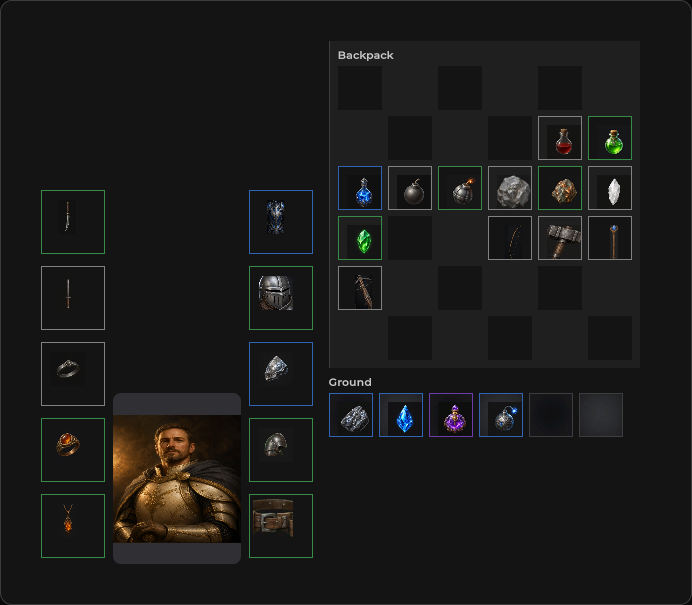 Grid inventory — drag & drop, equipment, stats Grid inventory — drag & drop, equipment, stats | 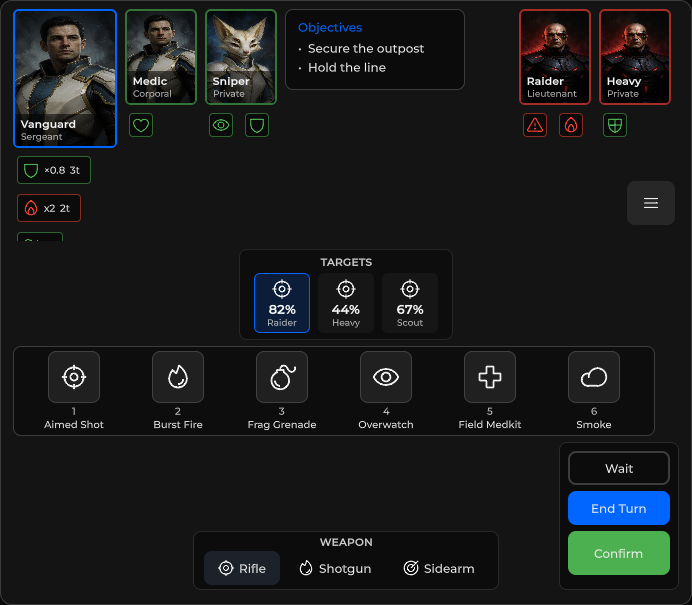 HUD presets — combat, tactical, MMO HUD presets — combat, tactical, MMO |
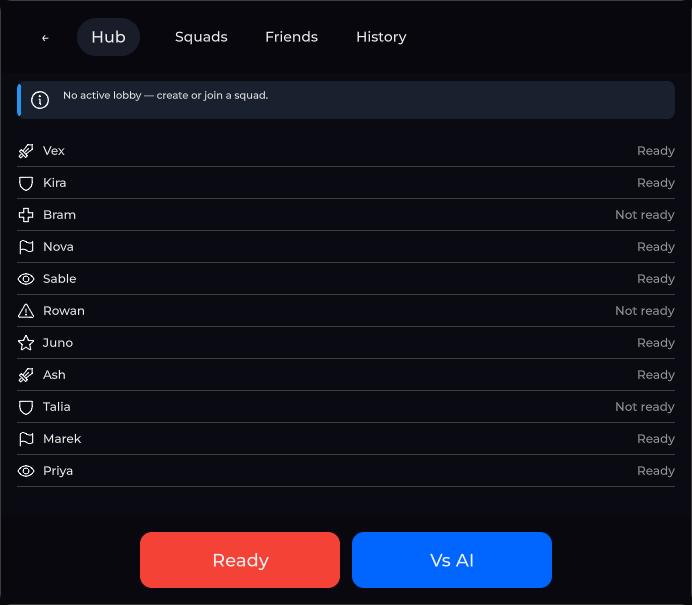 Lobby screen — tabs, Ready / Vs AI footer Lobby screen — tabs, Ready / Vs AI footer | 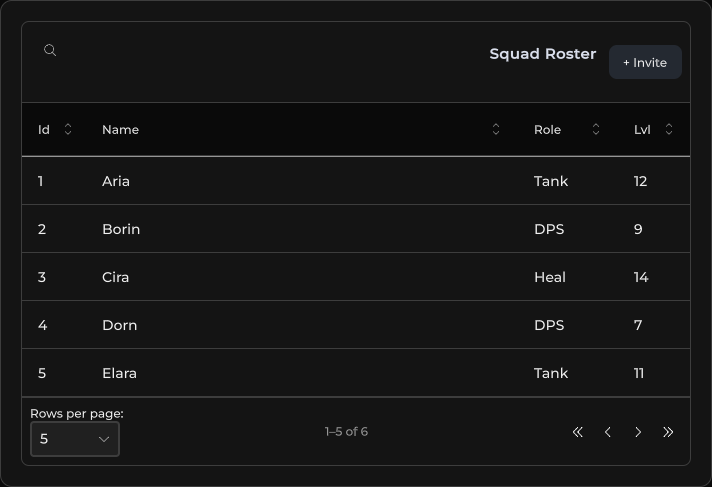 Data tables — sorting, media cells Data tables — sorting, media cells |
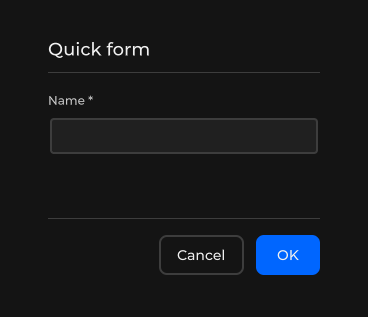 Forms — validation, dirty tracking, server errors Forms — validation, dirty tracking, server errors | 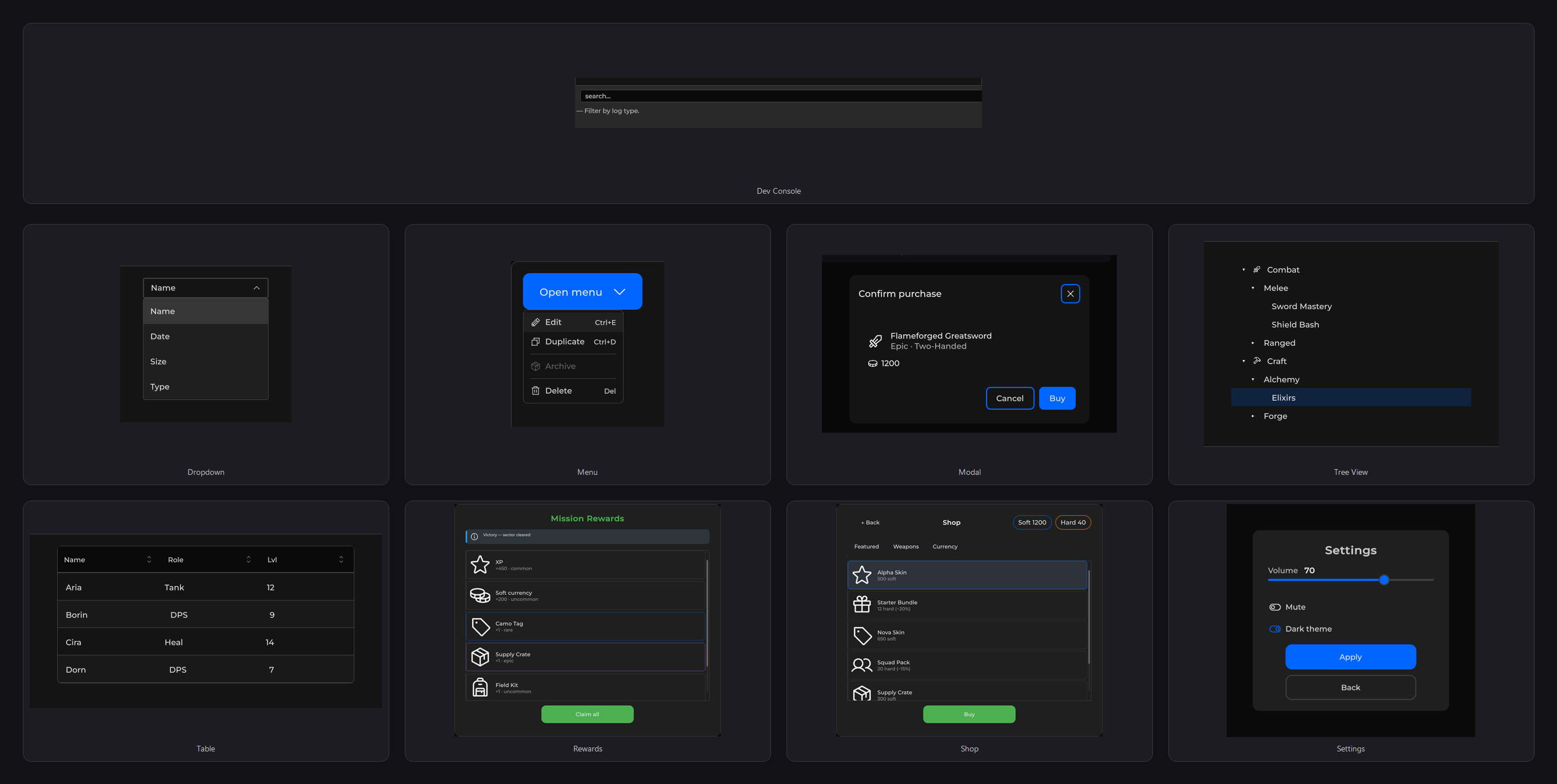 81 ready components (kit) + 55 game components 81 ready components (kit) + 55 game components |
The engine is free and MIT — try it on your project; buy ready-made components later.
| Tier | Packages | Price | License |
|---|---|---|---|
| Free | Core + Router (GitHub git-package) | $0 | MIT |
| Kit-set | Core + Router + Kit | $50 | Asset Store EULA |
| Game-set | Core + Router + Kit + Game | $80 | Asset Store EULA |
.sharq compiler, themes, overlays, world-space