
SusEquipmentSlot
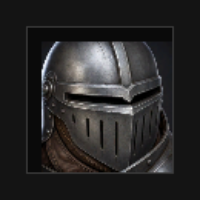
Слот снаряжения — label, empty/filled chrome, иконка экипированного SusInventoryItem, drop highlight, context menu.
Пакет
SusGame · Инвентарь (коммерческий)
Свойства
| Имя | Тип | По умолчанию | |
|---|---|---|---|
SlotId | Prop<string> | "" | v-model |
SlotName | Prop<string> | "" | v-model |
SlotIcon | Prop<string> | "" | v-model |
EquippedItem | Prop<ItemInstance> | null | v-model |
Highlighted | Prop<int> | 0 | v-model |
Rarity | Prop<string> | "" | v-model |
Слоты
Слотов нет.
События
| Имя | Поле | Payload |
|---|---|---|
SlotClick | OnSlotClick | string |
ItemClicked | OnItemClicked | SusInventoryItem, string |
ItemDragStart | OnItemDragStart | SusInventoryItem, string |
ItemDragEnd | OnItemDragEnd | SusInventoryItem |
ItemDragging | OnItemDragging | SusInventoryItem, Vector2 |
ItemContextAction | OnItemContextAction | string, SusInventoryItem |
Хуки стиля
Контракт USS-классов — внешний вид переопределяется без правки C#. Состояния переключаются этими классами:
sus-equipment-slotsus-equipment-slot__bgsus-equipment-slot__framesus-equipment-slot__frame--rarity-commonsus-equipment-slot__frame--rarity-epicsus-equipment-slot__frame--rarity-exoticsus-equipment-slot__frame--rarity-legendarysus-equipment-slot__frame--rarity-raresus-equipment-slot__frame--rarity-uncommonsus-equipment-slot__iconsus-equipment-slot__item-fillsus-equipment-slot__labelsus-equipment-slot--emptysus-equipment-slot--filledsus-equipment-slot--highlight-candidatesus-equipment-slot--highlight-invalidsus-equipment-slot--highlight-validsus-hiddensus-inventory-item
Использование
Предпочитайте родительский SusEquipmentPanel (или сессию SusInventory) — панель задаёт id/размер/категории и отрисовывает предмет. Отдельно — для Storybook / кастомного paper-doll:
csharp
var slot = new SusEquipmentSlot();
slot.SlotId.Value = "helm";
slot.SlotName.Value = "Helmet";
slot.GridWidth = 2;
slot.GridHeight = 2;
slot.CellSize = 48f;
slot.ItemMedia = "image";
slot.CellLayout = "grid";
slot.AllowedCategories = new[] { "armor" };
slot.Model = model;
slot.EquippedItem.Value = equippedInstance; // or null
slot.OnSlotClick += id => { /* unequip path */ };
slot.OnItemClicked += (item, id) => { /* select */ };
slot.UpdateItemIcon();
xml
<template>
  <sus:SusEquipmentSlot :SlotId="Id.Value"
                        :SlotName="Name.Value"
                        :Highlighted="Hl.Value" />
</template>

<script>
public Prop<string> Id = new("helm");
public Prop<string> Name = new("Helmet");
public Prop<int> Hl = new(0);
// EquippedItem / Model / AllowedCategories — set from C# after mount.
</script>| Prop / API | Роль |
|---|---|
SlotId / SlotName | Идентификатор + подпись |
EquippedItem | Привязанный ItemInstance (null = пусто) |
Highlighted | 0 нет · 1 valid · 2 invalid · 3 candidate |
GridWidth / GridHeight / CellSize | Размер в px = ячейки × size |
AllowedCategories | Фильтр категорий для Accepts(ItemDef) |
UpdateItemIcon() | Перерисовать иконку экипированного предмета из Model |
Accepts(def) | Проверка категории |
OnSlotClick / OnItem* / OnItemContextAction | События |
Заметки
- Контекстные действия над предметом:
equip/unequip/delete(как у предметов сумки). - Клик по пустому chrome вызывает
OnSlotClick(SlotId)— раскладка сумки снимает предмет обратно в сумку; экипировка открывает флайаут категории (владеет shell). - Значения Highlighted совпадают с SusInventoryCell.