
SusInventoryGrid
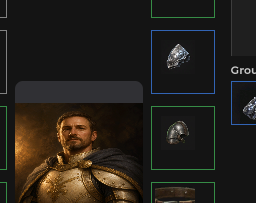
紧密排列的背包网格 — 从 InventoryGrid + InventoryModel 重建格子与 SusInventoryItem 图标,支持拖放 / 点击放置 / 右键菜单。
包
SusGame · 库存(商业)
属性
没有公开属性。
插槽
没有插槽。
事件
| 名称 | 字段 | 载荷 |
|---|---|---|
ItemDragStart | OnItemDragStart | SusInventoryItem |
ItemDragEnd | OnItemDragEnd | SusInventoryItem |
ItemDragging | OnItemDragging | SusInventoryItem, Vector2 |
ItemClicked | OnItemClicked | SusInventoryItem |
EmptyCellClicked | OnEmptyCellClicked | int, int |
ItemContextAction | OnItemContextAction | string, SusInventoryItem |
样式钩子
USS 类契约 — 无需改 C# 即可覆盖外观。状态通过这些类切换:
sus-hiddensus-inventory-gridsus-inventory-grid__cell
用法
优先通过 SusInventorySession 使用父组件 SusInventory — 外壳会赋值 Grid / Model 并调用 Refresh。独立使用:
csharp
var grid = new SusInventoryGrid();
grid.Model = model;
grid.Grid = model.Grids["bag"];
grid.CellSize = 48f;
grid.CellGap = 0f;           // pitch = CellSize + CellGap
grid.ItemMedia = "image";    // image | icon
grid.CellLayout = "grid";    // grid (multi-cell) | slots (1×1)
grid.GhostHost = ghostOverlay;
grid.IconResolver = myResolver;
grid.OnItemClicked += item => { /* select */ };
grid.OnEmptyCellClicked += (x, y) => { /* click-to-place */ };
grid.OnItemDragStart += item => { /* … */ };
grid.OnItemContextAction += (action, item) => { /* equip|unequip|delete */ };
grid.Refresh();
xml
<template>
  <sus:SusInventoryGrid />
</template>

<script>
// No Prop<> on the grid — assign Grid / Model / sizes from C#, then Refresh.
// Events: OnItemDragStart|End|Dragging, OnItemClicked, OnEmptyCellClicked, OnItemContextAction.
</script>| Prop / API | 作用 |
|---|---|
Grid / Model | 格子来自 Grid.Def;图标来自 Grid.Items + ItemDefs |
CellSize / CellGap | 像素尺寸 + 间距(间隔) |
ItemMedia / CellLayout | 转发给物品 / 占用解析 |
Refresh() / SyncItems() | 完整重建 vs 物品图标同步 |
HighlightCells / HighlightDropPreview / ClearHighlight | 拖放预览 |
OnItem* / OnEmptyCellClicked | 物品与空格子事件 |
备注
- 在设置
Grid+Grid.Def并运行Refresh之前为空。 - 多格物品跨越
ItemDef的占用范围(grid);slots强制为 1×1。 - 需要共享拖放时,优先使用网格而不是手动放置 SusInventoryCell / SusInventoryItem。