
SusInventoryGrid
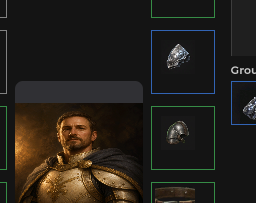
Packed bag mesh — rebuilds cells + SusInventoryItem icons from InventoryGrid + InventoryModel, DnD / click-to-place / context menu.
Package
SusGame · Inventory (commercial)
Props
No public props.
Slots
No slots.
Events
| Name | Field | Payload |
|---|---|---|
ItemDragStart | OnItemDragStart | SusInventoryItem |
ItemDragEnd | OnItemDragEnd | SusInventoryItem |
ItemDragging | OnItemDragging | SusInventoryItem, Vector2 |
ItemClicked | OnItemClicked | SusInventoryItem |
EmptyCellClicked | OnEmptyCellClicked | int, int |
ItemContextAction | OnItemContextAction | string, SusInventoryItem |
Style hooks
USS class contract — override appearance without touching C#. States toggle via these classes:
sus-hiddensus-inventory-gridsus-inventory-grid__cell
Usage
Prefer parent SusInventory via SusInventorySession — the shell assigns Grid / Model and calls Refresh. Standalone:
csharp
var grid = new SusInventoryGrid();
grid.Model = model;
grid.Grid = model.Grids["bag"];
grid.CellSize = 48f;
grid.CellGap = 0f;           // pitch = CellSize + CellGap
grid.ItemMedia = "image";    // image | icon
grid.CellLayout = "grid";    // grid (multi-cell) | slots (1×1)
grid.GhostHost = ghostOverlay;
grid.IconResolver = myResolver;
grid.OnItemClicked += item => { /* select */ };
grid.OnEmptyCellClicked += (x, y) => { /* click-to-place */ };
grid.OnItemDragStart += item => { /* … */ };
grid.OnItemContextAction += (action, item) => { /* equip|unequip|delete */ };
grid.Refresh();
xml
<template>
  <sus:SusInventoryGrid />
</template>

<script>
// No Prop<> on the grid — assign Grid / Model / sizes from C#, then Refresh.
// Events: OnItemDragStart|End|Dragging, OnItemClicked, OnEmptyCellClicked, OnItemContextAction.
</script>| Prop / API | Role |
|---|---|
Grid / Model | Cells from Grid.Def; icons from Grid.Items + ItemDefs |
CellSize / CellGap | Pixel size + gap (pitch) |
ItemMedia / CellLayout | Forwarded to items / footprint resolve |
Refresh() / SyncItems() | Full rebuild vs item-icon sync |
HighlightCells / HighlightDropPreview / ClearHighlight | DnD preview |
OnItem* / OnEmptyCellClicked | Item & empty-cell events |
Notes
- Empty until
Grid+Grid.Defare set andRefreshruns. - Multi-cell items span
ItemDeffootprint (grid);slotsforces 1×1. - Prefer the grid over hand-placing SusInventoryCell / SusInventoryItem when you need shared DnD.