
SusImg
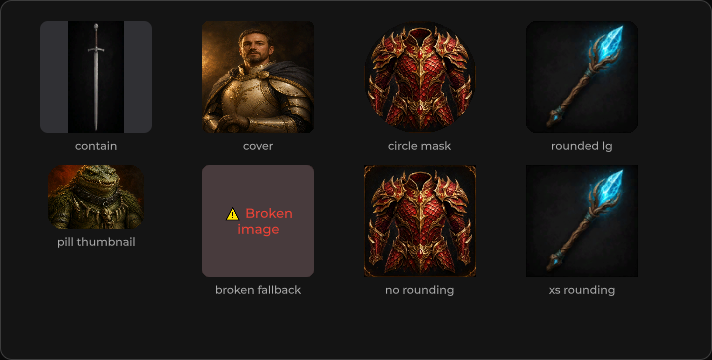
图片容器 — 尺寸控制、cover 裁剪、圆角,以及加载 / 错误钩子。
包
SusKit · 原子(商业)
属性
| 名称 | 类型 | 默认值 | |
|---|---|---|---|
Src | Prop<string> | "" | |
LazySrc | Prop<string> | "" | |
Alt | Prop<string> | "" | |
Height | Prop<float> | 0f | |
MaxHeight | Prop<float> | 0f | |
Width | Prop<float> | 0f | |
MaxWidth | Prop<float> | 0f | |
Cover | Prop<bool> | false | |
Stretch | Prop<bool> | false | |
Anchor | Prop<string> | "center" | |
Rounded | Prop<string> | "" | |
Gradient | Prop<string> | "" | |
AspectRatio | Prop<float> | 0f | |
Fit | Prop<string> | "width" |
插槽
| 名称 |
|---|
placeholder |
error |
事件
| 名称 | 字段 | 载荷 |
|---|---|---|
Load | OnLoad | Texture2D |
Error | OnError | string |
样式钩子
USS 类契约 — 无需改 C# 即可覆盖外观。状态通过这些类切换:
sus-hiddensus-imgsus-img__errorsus-img__error-textsus-img__gradientsus-img__placeholdersus-img__placeholder-textsus-img__surfacesus-img--anchor-bottomsus-img--anchor-topsus-img--coversus-img--errorsus-img--rounded-0sus-img--rounded-2xlsus-img--rounded-circlesus-img--rounded-lgsus-img--rounded-mdsus-img--rounded-smsus-img--rounded-xssus-img--stretch
用法
xml
<template>
  <sus:SusImg Src="portraits/hero"
              Alt="Hero portrait"
              Cover="true"
              Rounded="md"
              AspectRatio="1"
              @load="OnLoaded"
              @error="OnFailed" />
</template>

<script>
void OnLoaded(Texture2D tex) { /* … */ }
void OnFailed(string reason) { /* … */ }
</script>
csharp
var img = new SusImg();
img.Src.Value = "ui/banner";
img.Cover.Value = true;
img.MaxHeight.Value = 180f;
img.OnError += msg => { /* … */ };
备注
- 设置
LazySrc时会在首次绘制后加载。 - 插槽
placeholder/error可自定义空状态和失败状态。