
SusSnackbarQueue
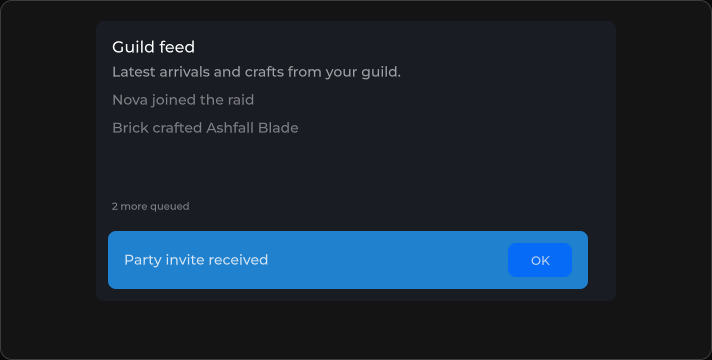
串行 toast 容器 —— 将消息加入队列,一次显示一个 SusSnackbar。
包
SusKit · 分子(商业)
属性
| 名称 | 类型 | 默认值 | |
|---|---|---|---|
Overlay | Prop<bool> | true | v-model |
Location | Prop<string> | "bottom-center" | v-model |
插槽
没有插槽。
事件
| 名称 | 字段 | 载荷 |
|---|---|---|
Empty | OnEmpty | — |
Show | OnShow | string |
样式钩子
USS 类契约 — 无需改 C# 即可覆盖外观。状态通过这些类切换:
sus-hiddensus-snackbar-queuesus-snackbar-queue__host
用法
通过代码中的 Enqueue 驱动队列。XML 只用于放置宿主和共享的显示属性。
csharp
var queue = new SusSnackbarQueue();
queue.Overlay.Value = false;
queue.Location.Value = "bottom-center";
queue.OnShow += text => { /* … */ };
queue.OnEmpty += () => { /* … */ };

queue.Enqueue("Party invite received", "info", 2500);
queue.Enqueue("Saved", "success", 3000);
// or: queue.Enqueue(new SusSnackbarQueue.SnackbarQueueItem { Text = "…", Variant = "warning", Timeout = 4000 });
xml
<template>
  <sus:SusSnackbarQueue :Overlay="Overlay.Value"
                        :Location="Location.Value"
                        @show="OnShow"
                        @empty="OnEmpty" />
</template>

<script>
public Prop<bool> Overlay = new(true);
public Prop<string> Location = new("bottom-center");
void OnShow(string text) { /* … */ }
void OnEmpty() { }
// Call Enqueue from code (buttons, services, network handlers).
</script>| Prop / API | Role |
|---|---|
Overlay | 传递给每个 snackbar |
Location | 传递给每个 snackbar(bottom-center 等) |
Enqueue(text, variant, timeout) | 追加一条 toast |
PendingCount | 等待中 + 当前显示中的数量 |
备注
- 变体与 SusSnackbar 一致:
info·success·warning·error。 - 在
Mounted之前入队的项,会在宿主挂载时统一刷新(Storybook 中的 Add→Enqueue 竞态场景)。 - 优先使用队列,而不是堆叠多个独立的 snackbar。