
SusSnackbarQueue
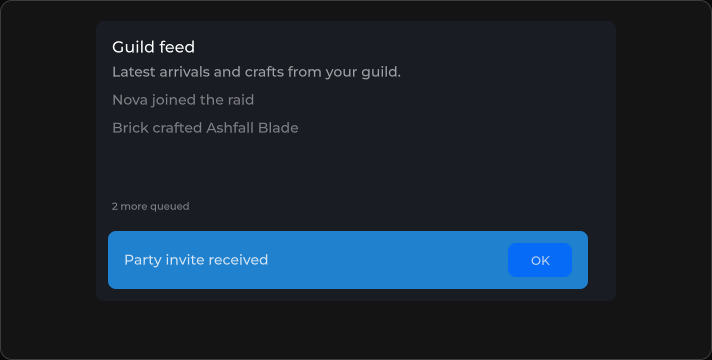
Serial toast host — enqueues messages and shows one SusSnackbar at a time.
Package
SusKit · Molecules (commercial)
Props
| Name | Type | Default | |
|---|---|---|---|
Overlay | Prop<bool> | true | v-model |
Location | Prop<string> | "bottom-center" | v-model |
Slots
No slots.
Events
| Name | Field | Payload |
|---|---|---|
Empty | OnEmpty | — |
Show | OnShow | string |
Style hooks
USS class contract — override appearance without touching C#. States toggle via these classes:
sus-hiddensus-snackbar-queuesus-snackbar-queue__host
Usage
Drive the queue from code with Enqueue. XML only places the host and shared display props.
csharp
var queue = new SusSnackbarQueue();
queue.Overlay.Value = false;
queue.Location.Value = "bottom-center";
queue.OnShow += text => { /* … */ };
queue.OnEmpty += () => { /* … */ };

queue.Enqueue("Party invite received", "info", 2500);
queue.Enqueue("Saved", "success", 3000);
// or: queue.Enqueue(new SusSnackbarQueue.SnackbarQueueItem { Text = "…", Variant = "warning", Timeout = 4000 });
xml
<template>
  <sus:SusSnackbarQueue :Overlay="Overlay.Value"
                        :Location="Location.Value"
                        @show="OnShow"
                        @empty="OnEmpty" />
</template>

<script>
public Prop<bool> Overlay = new(true);
public Prop<string> Location = new("bottom-center");
void OnShow(string text) { /* … */ }
void OnEmpty() { }
// Call Enqueue from code (buttons, services, network handlers).
</script>| Prop / API | Role |
|---|---|
Overlay | Passed to each snackbar |
Location | Passed to each snackbar (bottom-center, …) |
Enqueue(text, variant, timeout) | Append a toast |
PendingCount | Pending + currently showing |
Notes
- Variants match SusSnackbar:
info·success·warning·error. - Items enqueued before
Mountedflush when the host mounts (Storybook Add→Enqueue race). - Prefer the queue over stacking many standalone snackbars.