
SusEmptyState
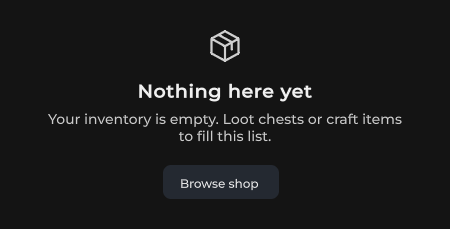
Placeholder when a list or panel has nothing to show — icon, title, CTA.
Package
SusKit · Atoms (commercial)
Props
| Name | Type | Default | |
|---|---|---|---|
Icon | Prop<string> | "package" | v-model |
Title | Prop<string> | "" | v-model |
Text | Prop<string> | "" | v-model |
ActionText | Prop<string> | "" | v-model |
Color | Prop<string> | "primary" | v-model |
Size | Prop<string> | "md" | v-model |
Justify | Prop<string> | "center" | v-model |
Slots
| Name |
|---|
media |
actions |
Events
| Name | Field | Payload |
|---|---|---|
Action | OnAction | — |
Style hooks
USS class contract — override appearance without touching C#. States toggle via these classes:
sus-empty-statesus-empty-state__actionsus-empty-state__actionssus-empty-state__iconsus-empty-state__mediasus-empty-state__textsus-empty-state__titlesus-empty-state--color-mutedsus-empty-state--color-primarysus-empty-state--color-secondarysus-empty-state--has-actionsus-empty-state--justify-centersus-empty-state--justify-endsus-empty-state--justify-startsus-empty-state--size-lgsus-empty-state--size-mdsus-empty-state--size-smsus-hiddensus-slotunity-labelunity-text-element
Usage
xml
<template>
  <sus:SusEmptyState Icon="package"
                     Title="No loadouts yet"
                     Text="Create one to start matching."
                     ActionText="Create loadout"
                     Color="primary"
                     @action="OnCreate" />
</template>

<script>
void OnCreate() { /* … */ }
</script>
csharp
var empty = new SusEmptyState();
empty.Icon.Value = "inbox";
empty.Title.Value = "Nothing here";
empty.Text.Value = "Try another filter.";
empty.ActionText.Value = "Clear filters";
empty.OnAction += () => { /* … */ };
Notes
- Slots
mediaandactionsreplace the default icon / CTA when you need custom content. Size:sm·md·lg.