
SusHudDeploymentReady
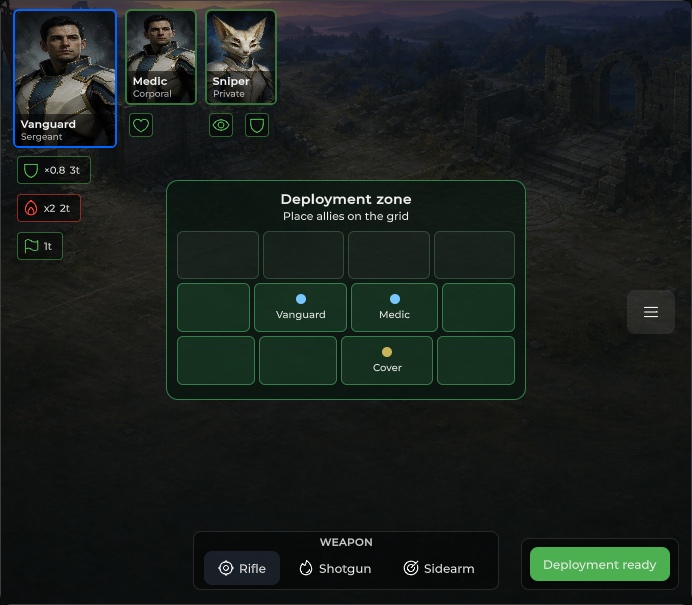
Deployment-phase CTA — elevated ready button with enable gate.
Package
SusGame · HUD (commercial)
Props
| Name | Type | Default | |
|---|---|---|---|
Label | Prop<string> | "Deployment ready" | |
Enabled | Prop<bool> | true |
Slots
No slots.
Events
| Name | Field | Payload |
|---|---|---|
Ready | OnReady | — |
Style hooks
USS class contract — override appearance without touching C#. States toggle via these classes:
sus-hud-deployment-readysus-hud-deployment-ready__btn
Usage
csharp
var ready = new SusHudDeploymentReady();
ready.Label.Value = "Deployment ready";
ready.Enabled.Value = true;
ready.OnReady += () => { /* lock deployment / start battle */ };
// or: ready.ApplyData("Ready!", enabled: canConfirm);
xml
<template>
  <sus:SusHudDeploymentReady :Label="Label.Value"
                             :Enabled="Enabled.Value"
                             @ready="OnReady" />
</template>

<script>
public Prop<string> Label = new("Deployment ready");
public Prop<bool> Enabled = new(true);
void OnReady() { /* … */ }
</script>| Prop / API | Role |
|---|---|
Label | Button text (default Deployment ready) |
Enabled | false disables the button |
ApplyData(label, enabled?) | Batch update |
OnReady | Click when enabled |
Notes
- Host in deployment HUD chrome (often with unit rail / minimap), not as a standalone screen.
- Empty label falls back to
Deployment ready.