
SusInventoryItem
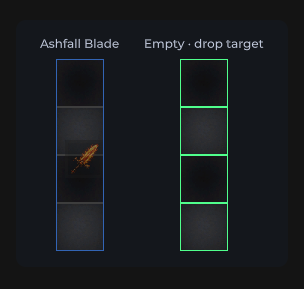
Grid-placed item: icon, rarity frame, stack, durability, drag & drop, context menu
Package
SusGame · Inventory (commercial)
Props
| Name | Type | Default | |
|---|---|---|---|
Icon | Prop<string> | "" | v-model |
Rarity | Prop<string> | "common" | v-model |
StackCount | Prop<int> | 1 | v-model |
Durability | Prop<float> | 100f | v-model |
IsEquipped | Prop<bool> | false | v-model |
IsDragging | Prop<bool> | false | v-model |
IsSelected | Prop<bool> | false | v-model |
ShowName | Prop<bool> | false | v-model |
ItemName | Prop<string> | "" | v-model |
MediaMode | Prop<string> | "image" | v-model |
Slots
Events
| Name | Field | Payload |
|---|---|---|
DragStart | OnDragStart | SusInventoryItem |
DragEnd | OnDragEnd | SusInventoryItem |
Dragging | OnDragging | SusInventoryItem, Vector2 |
ItemClicked | OnItemClicked | SusInventoryItem |
ContextAction | OnContextAction | string, SusInventoryItem |
Style hooks
USS class contract — override appearance without touching C#. States toggle via these classes:
sus-hiddensus-imgsus-img__errorsus-img__placeholdersus-img__surfacesus-img--rounded-mdsus-img--rounded-smsus-inv-ghostsus-inv-ghost__glyphsus-inv-ghost__imagesus-inv-ghost__stacksus-inv-ghost--commonsus-inv-ghost--epicsus-inv-ghost--exoticsus-inv-ghost--legendarysus-inv-ghost--raresus-inv-ghost--uncommonsus-inventory-itemsus-inventory-item__durability-fillsus-inventory-item__durability-fill--goodsus-inventory-item__durability-fill--lowsus-inventory-item__durability-fill--warnsus-inventory-item__durability-tracksus-inventory-item__glyphsus-inventory-item__imagesus-inventory-item__namesus-inventory-item__raritysus-inventory-item__stacksus-inventory-item__tipsus-inventory-item--draggingsus-inventory-item--equippedsus-inventory-item--long-presssus-inventory-item--media-iconsus-inventory-item--media-imagesus-inventory-item--rarity-commonsus-inventory-item--rarity-epicsus-inventory-item--rarity-exoticsus-inventory-item--rarity-legendarysus-inventory-item--rarity-raresus-inventory-item--rarity-uncommonsus-inventory-item--selectedsus-tooltip--inventory
Usage
Prefer parent SusInventory via SusInventorySession — do not place orphan items without a grid/model. Grid paint sets Item / Def / icon props automatically.
// Session mounts SusInventory; items get Def + DnD + tooltip automatically
var session = SusInventorySession.Attach(host);
session.Configure(SusInventorySystemParams.PackedGrid);
session.SetCatalog(defs);
session.SeedItems(seeds);
session.Apply();
Standalone chrome (Storybook / custom icon):
var item = new SusInventoryItem();
item.Icon.Value = "SusGameDemo/Items/sword";
item.Rarity.Value = "rare";
item.StackCount.Value = 3;
item.Durability.Value = 72f;
item.MediaMode.Value = "image"; // image | icon
item.IsEquipped.Value = false;
item.IsSelected.Value = false;
item.Def = itemDef;             // tooltip content
item.OnItemClicked += ii => { /* select */ };
item.OnContextAction += (action, ii) => { /* equip|unequip|delete */ };<template>
<sus:SusInventoryItem :Icon="Icon.Value"
:Rarity="Rarity.Value"
:StackCount="Stack.Value"
:Durability="Dura.Value"
:MediaMode="Media.Value"
:IsEquipped="Eq.Value"
:IsSelected="Sel.Value" />
</template>
<script>
public Prop<string> Icon = new("SusGameDemo/Items/sword");
public Prop<string> Rarity = new("rare");
public Prop<int> Stack = new(3);
public Prop<float> Dura = new(72f);
public Prop<string> Media = new("image");
public Prop<bool> Eq = new(false);
public Prop<bool> Sel = new(false);
</script>| Prop / API | Role |
|---|---|
Icon | Resources path (image) or icon-set key (MediaMode=icon) |
Rarity | common…exotic → BEM --rarity-* |
StackCount | Badge when > 1 |
Durability | 0…100; bar hidden at 100 |
IsEquipped / IsDragging / IsSelected | State classes |
MediaMode | image (SusImg fill) | icon (SusIcon glyph) |
Item / Def | Model refs (tooltip + DnD identity) |
ShowName | Show the sus-inventory-item__name plate (text from Def.Name, else Def.Id). Default false — existing layouts keep their look |
OnDrag* / OnItemClicked / OnContextAction | Pointer & menu |
Hover tooltip
Uses SusTooltip (OverlayHost Tooltip layer). Native UITK tooltip is cleared. Content comes from ItemDef (name, rarity · category · subcategory, description, weight, modifiers). Timing / rows: parent SusInventorySystemParams.
The tooltip root is the hover trigger — for an inventory item, the cell-wide #ItemTip wrapper — not the card. It carries sus-item-tooltip__trigger and keeps sus-item-tooltip. The card carries sus-item-tooltip__card and keeps it after it moves to the overlay host. Style the card through .sus-item-tooltip__card, so a card rule never lands on the cell:
.sus-item-tooltip__card { min-width: 280px; }
.sus-item-tooltip__card .sus-tooltip__header { padding: 8px 12px; }
.sus-item-tooltip__trigger { /* the cell wrapper, if you need it */ }
The card's parts are the inherited SusTooltip elements (__header, __header-title, __header-type, __hero, __bars, __footer), reached as .sus-item-tooltip__card .sus-tooltip__<part>.
Notes
- Context actions:
equip|unequip|delete. - Drag threshold / ghost host come from the parent grid / shell — set
GhostHostbefore DnD. - Prefer Session over orphan items so rarity / tooltip / DnD stay consistent.